
Open.
Connect.
Record.
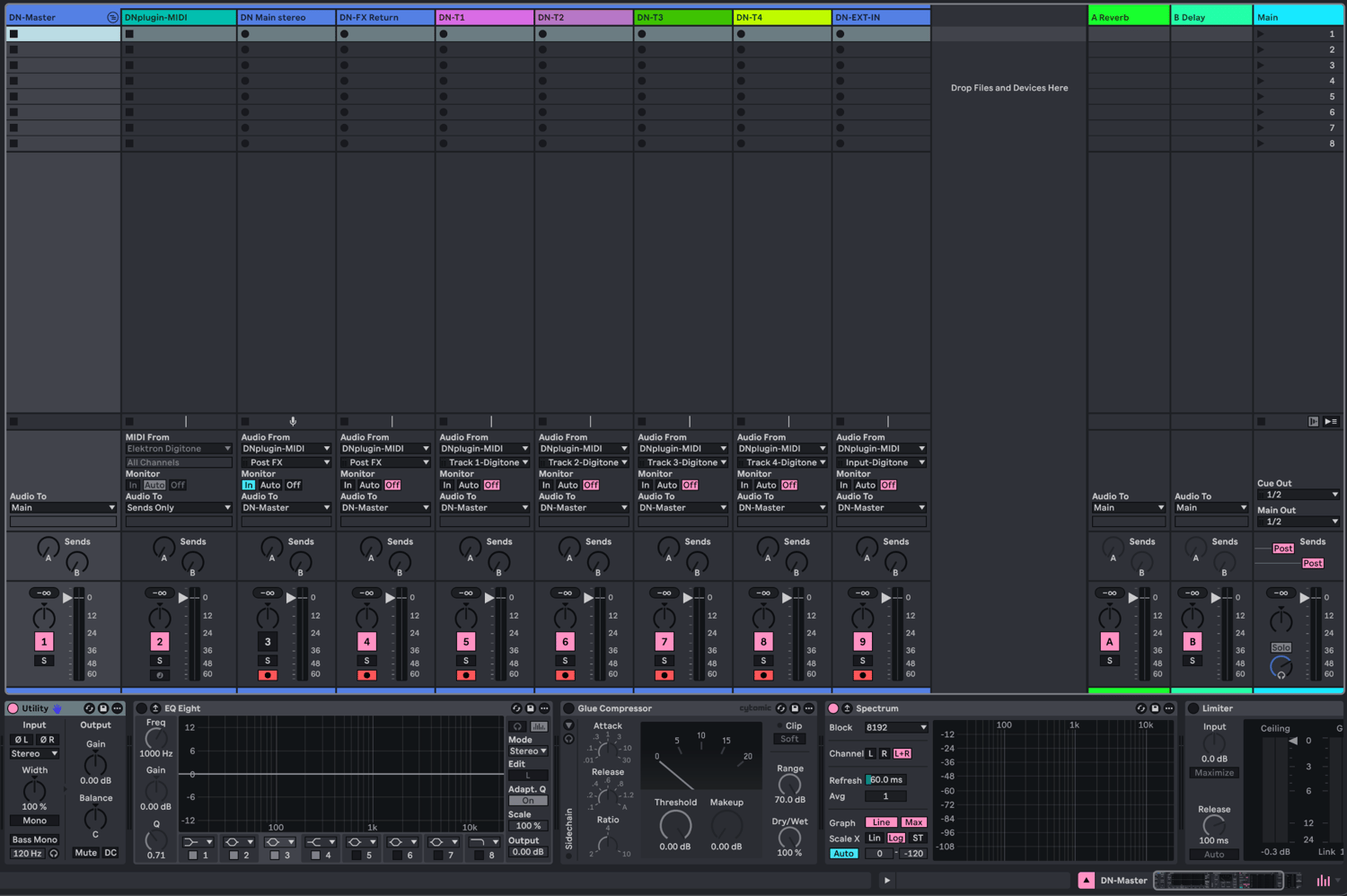
This Ableton Live 12 template handles the repetitive Overbridge routing, so you can connect your Digitone and start recording immediately.
- Main Digitone stereo output
- Dedicated Digitone FX return channel
- All four individual Digitone synth tracks
- External stereo input
- Utility and EQ Eight on every audio channel
- Digitone master bus with Saturator and Glue Compressor
- Spectrum monitoring
- Colour-coded and organised routing
Requirements
- Ableton Live 12
- Elektron Digitone
- Elektron Overbridge with the Digitone plugin
- USB connection in Overbridge mode
Good for
No third-party plugins are required besides Elektron Overbridge.
- Recording hardware jams
- Capturing the complete Digitone stereo mix
- Recording Digitone patterns into Arrangement View
- Processing individual Digitone voices with Ableton effects
- Starting new Digitone projects without rebuilding your routing
FX returns
The individual Digitone track stems are recorded without the shared chorus, delay and reverb effects. The template includes labelled channels for choosing between the complete stereo mix and an FX-only return, each needing a separate recording pass.
- Full stereo mix: route T1-T4, Chorus, Delay and Reverb to Main on the Digitone.
- FX-only return: disable T1-T4 under Route to Main while leaving Chorus, Delay and Reverb enabled.